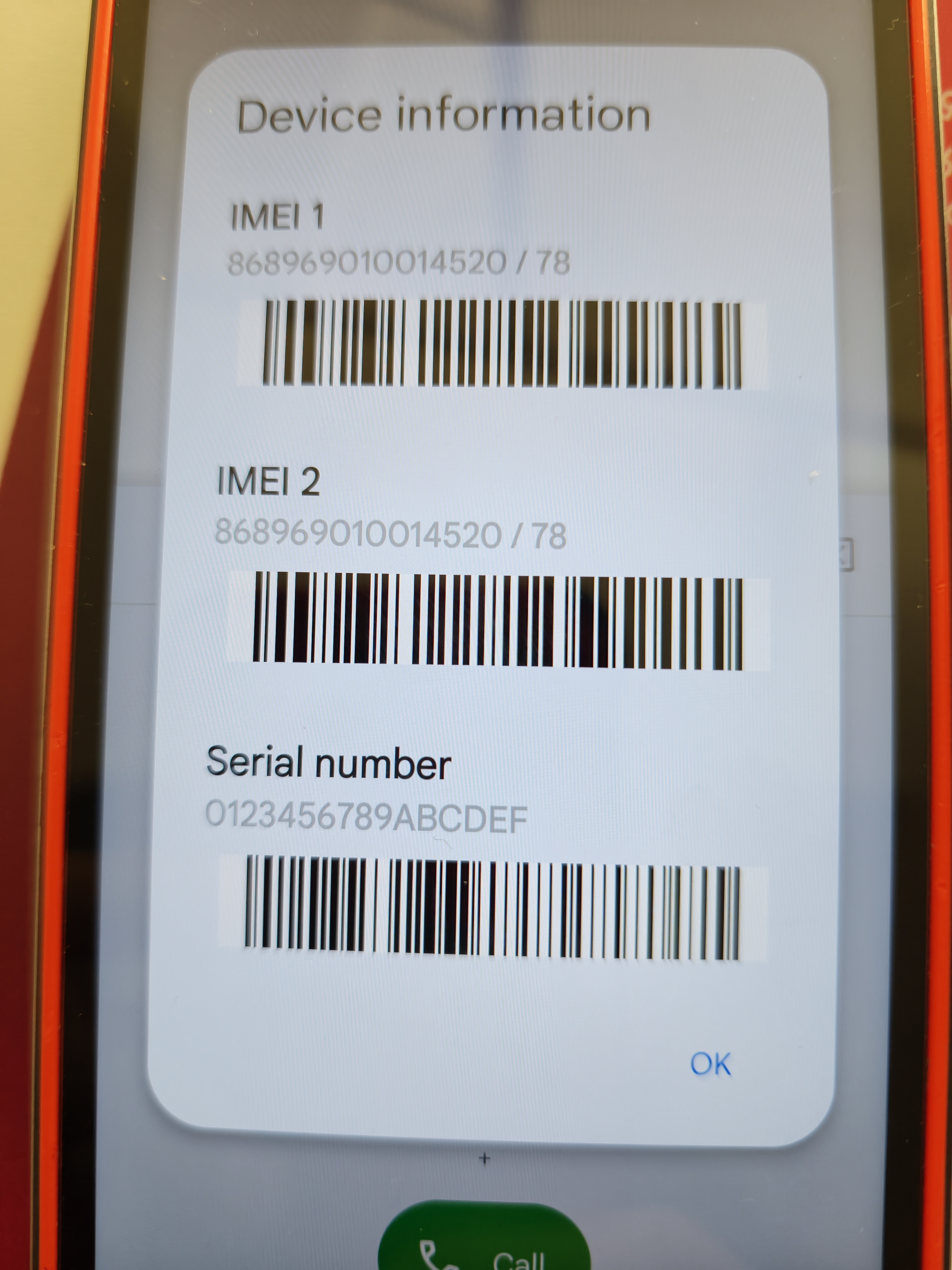

Blackview BV9300 after FRp remove problem
-
 Miembro
- Offline
- 9 posts
-
 PL
#1 0Hi
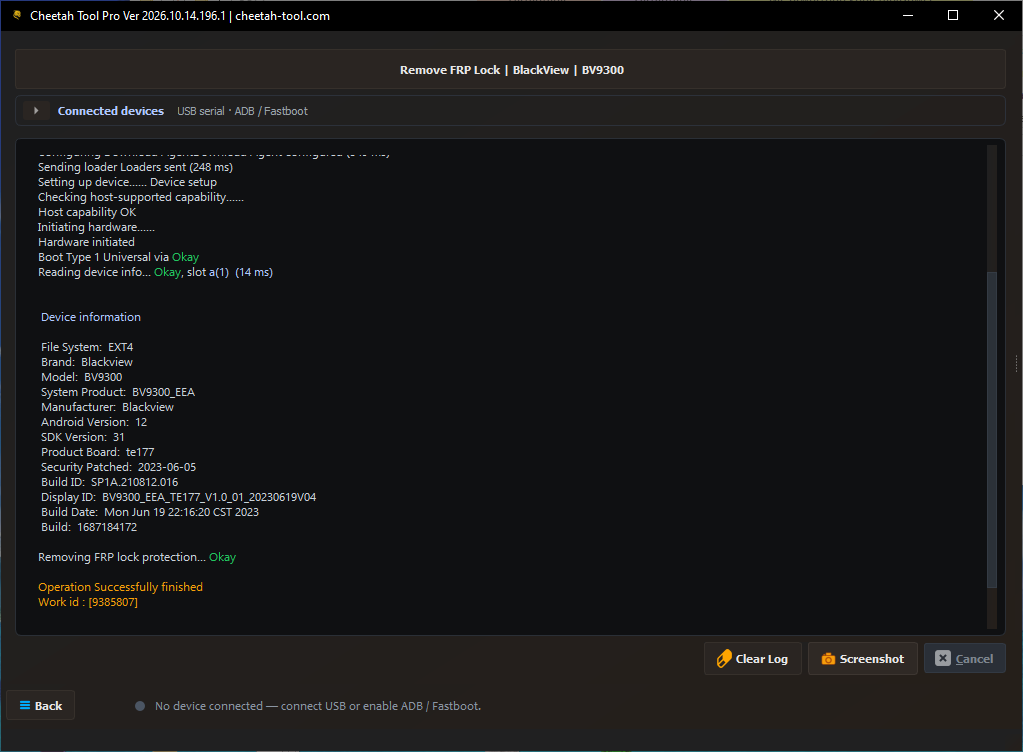
After remove frp I have red alert Not verify under battery and network icon
After flashing is the same
-
el gerente
- Offline
- 2 posts
-
 US
#2 0hello dear Please switch slot
-
Miembro
- Offline
- 9 posts
-
PL
#3 0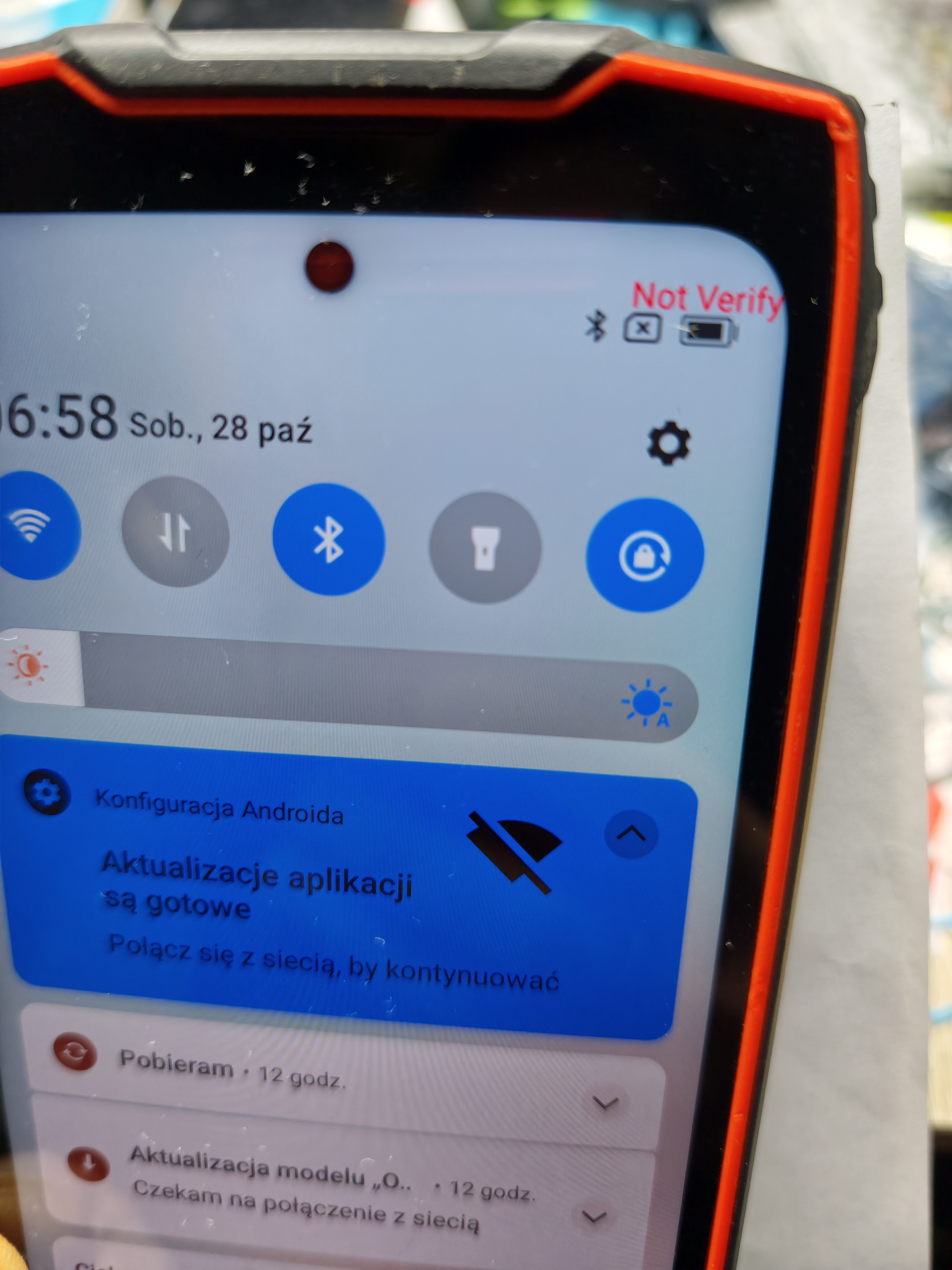
-
 el gerente
- Offline
- 36 posts
-
 PK
#4 0Hello, Reflash Phone with same version,or use higher, maybe firmware issue.
Cheetah Team | https://cheetah-tool.com/en/forum/thread/4/Cheetah-Tool-Forum-Rules-837 -
Miembro
- Offline
- 9 posts
-
PL
#5 0Everything working, network is ok, but still is red Not verify
-
Miembro
- Offline
- 9 posts
-
PL
#6 0Wait for MediaTek device......
Connected (PreLoader): MediaTek PreLoader USB VCOM (Android) (COM96)
Connected device:
Brand : BlackView
Model : BV9300
Handshaking (37 ms)
HWID : 0x1208 ,CPU Number : MT6789 (Helio G99/G100/G200) ,Security flags
Configuring Download AgentDownload Agent configured (188 ms)
Sending loader Loaders sent (249 ms)
Setting up device...... Device setup
Checking host-supported capability......
Host capability OK
Initiating hardware......
Hardware initiated
Boot Type 1 Universal via Okay
Reading device info... Okay, slot a(1) (14 ms)
Device information
File System: EXT4
Brand: Blackview
Model: BV9300
System Product: BV9300_NEU
Manufacturer: Blackview
Android Version: 12
SDK Version: 31
Product Board: te177
Security Patched: 2023-10-05
Build ID: SP1A.210812.016
Display ID: BV9300_NEU_TE177_V1.0_01_20231028V04
Build Date: Sat Oct 28 00:47:24 CST 2023
Build: 1698425236
Switing Boot Slot B... Failed
COULD NOT WRITE DATA TO THE PHONE. CHECK USB CONNECTION AND TRY AGAIN.
-
Miembro
- Offline
- 9 posts
-
PL
#7 0I uploaded 3 different firmwares and still the same
-
el gerente
- Offline
- 36 posts
-
PK
#8 0Check the driver,use another port.
Cheetah Team | https://cheetah-tool.com/en/forum/thread/4/Cheetah-Tool-Forum-Rules-837 -
Miembro
- Offline
- 9 posts
-
PL
#9 0ok, done but still Not verify
Wait for MediaTek device......
Connected (BROM): MediaTek USB Port (COM18)
Connected device:
Brand : BlackView
Model : BV9300
Handshaking (4 ms)
HWID : 0x1208 ,CPU Number : MT6789 (Helio G99/G100/G200) ,Security flags
Sending loader Loaders sent (88 ms)
Setting up device...... Device setup
Checking host-supported capability......
Host capability OK
Initiating hardware......
Hardware initiated
Boot Type 1 Universal via Okay
Sending extended Da... OkayOkay
Reading device info... Okay, slot a(1) (14 ms)
Device information
File System: EXT4
Brand: Blackview
Model: BV9300
System Product: BV9300_NEU
Manufacturer: Blackview
Android Version: 12
SDK Version: 31
Product Board: te177
Security Patched: 2023-10-05
Build ID: SP1A.210812.016
Display ID: BV9300_NEU_TE177_V1.0_01_20231028V04
Build Date: Sat Oct 28 00:47:24 CST 2023
Build: 1698425236
Switing Boot Slot B... Okay
Operation Successfully finished
Work id : [9396939]
Rebooting ...
Total Time: 220 msecs
-
el gerente
- Offline
- 2 posts
-
US
#10 0dear please add a google account
-
Miembro
- Offline
- 9 posts
-
PL
#11 0Google account doesn't change anything.
I can add or remove, google play working
And still Not Verify
-
el gerente
- Offline
- 36 posts
-
PK
#12 0its easy if you share us software and mobile screenshot
Cheetah Team | https://cheetah-tool.com/en/forum/thread/4/Cheetah-Tool-Forum-Rules-837 -
Miembro
- Offline
- 9 posts
-
PL
#13 0software is the same like before FRP
HWID : 0x1208 ,CPU Number : MT6789 (Helio G99/G100/G200) ,Security flags
this maybe a problem
-
Miembro
- Offline
- 9 posts
-
PL
#14 0In phone is distroyed IMEI and SN
I cant repair it
Wait for MediaTek device......
Connected (BROM): MediaTek USB Port (COM16)
Connected device:
Brand : BlackView
Model : BV9300
Handshaking (4 ms)
HWID : 0x1208 ,CPU Number : MT6789 (Helio G99/G100/G200) ,Security flags
Sending loader Loaders sent (87 ms)
Setting up device...... Device setup
Checking host-supported capability......
Host capability OK
Initiating hardware......
Hardware initiated
Boot Type 1 Universal via Okay
Sending extended Da... OkayOkay
Reading device info... Okay, slot a(1) (15 ms)
Device information
File System: EXT4
Brand: Blackview
Model: BV9300
System Product: BV9300_EEA
Manufacturer: Blackview
Android Version: 12
SDK Version: 31
Product Board: te177
Security Patched: 2023-10-05
Build ID: SP1A.210812.016
Display ID: BV9300_EEA_TE177_V1.0_01_20231027V06
Build Date: Fri Oct 27 22:05:02 CST 2023
Build: 1698415493
Checking Security data... Okay
Reading preloader... Okay
Reading preloader_backup... Okay
Reading nvdata... Okay
Reading protect1... Okay
Reading protect2... Okay
Reading nvram... Okay
Security file is saved to C:\Cheetah-Team\Cheetah Tool PRO\[email protected]\important_backup\mediatek\NV\Blackview_BV9300_12_1698415493_2610270909.zip
Getting IMEI INFO : Failed
UNSUPPORTED ALGORITHM